How to use Kellnr
Kellnr is a private rust crate registry used by delta. Developers can import delta SDKs and primitives by configuring their cargo instance to include the delta registry, and the Kellnr browser interface also allows partners to view Rust code documentation.
Logging in
Kellnr uses two-factor authentication.
- Single sign-on with your whitelisted email
- Username/Password (created for you by the delta team)
Viewing the Documentation
Once you log in to Kellnr, click “Search” on the navigation bar at the top of the screen. From there, you can view the different rust crates available to install, and also see their documentation using the link on each crate's view.
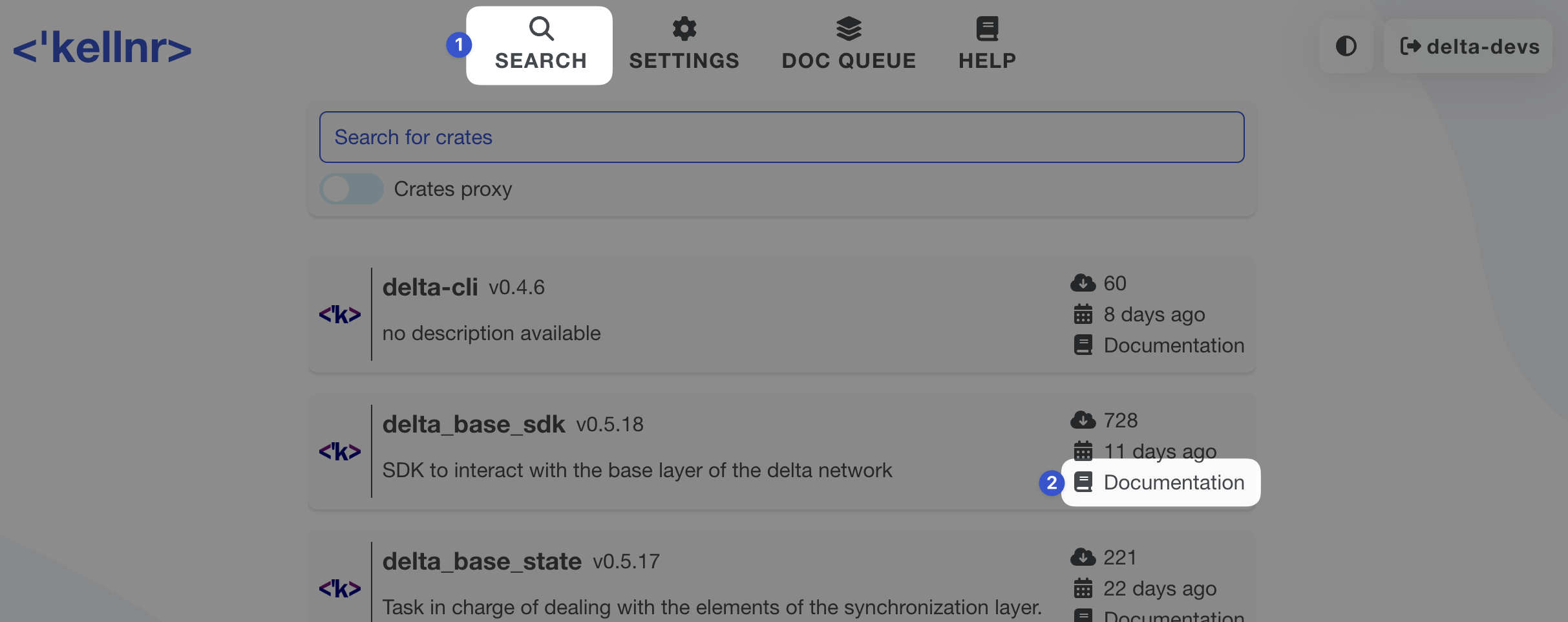
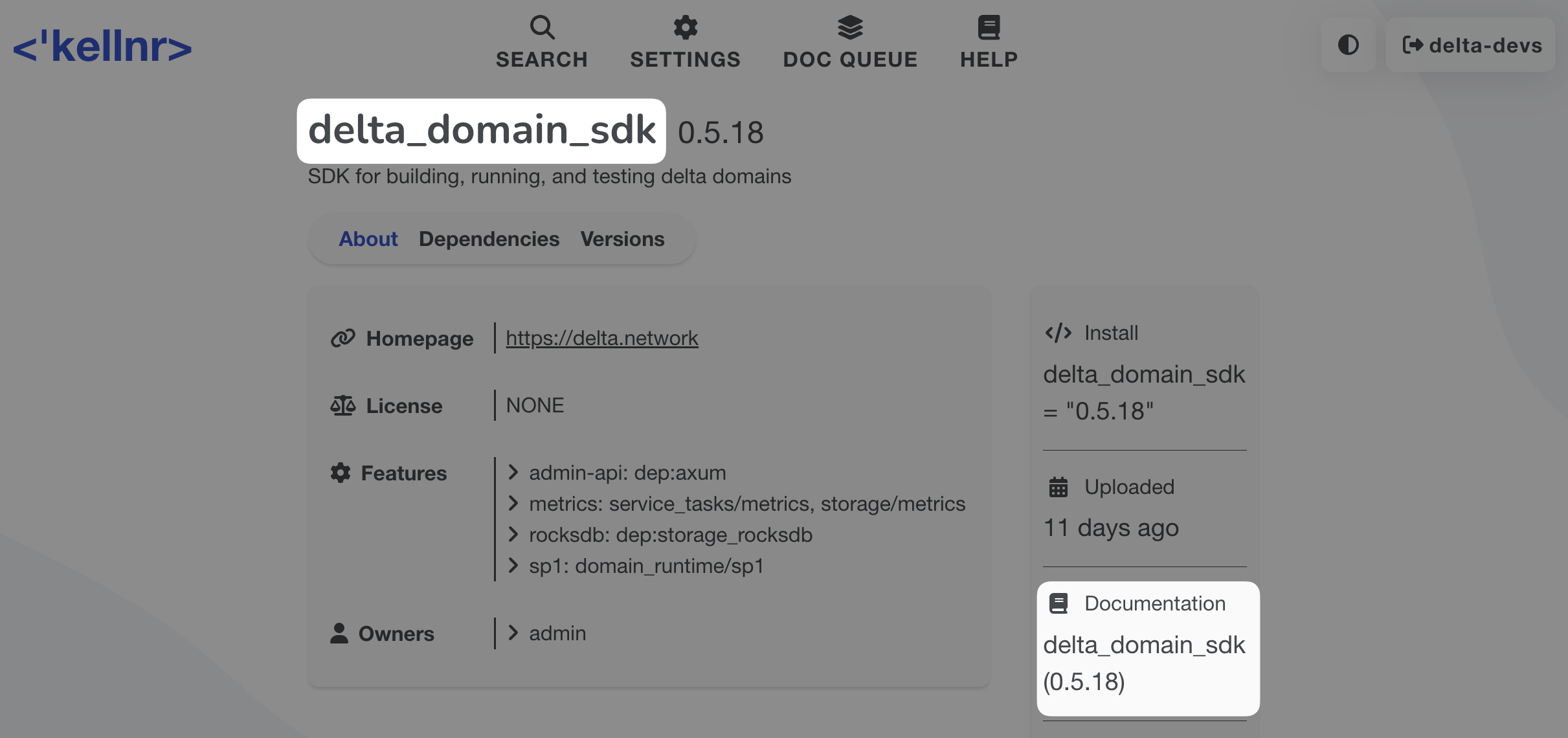
If you are a domain developer, we recommend reading the delta Domain SDK code documentation. Search for (or scroll to) the delta_domain_sdk crate, and start viewing the documentation from there. Most other essential crates (Base SDK, Primitives) are imported as part of the Domain SDK.
Viewing the Source Code
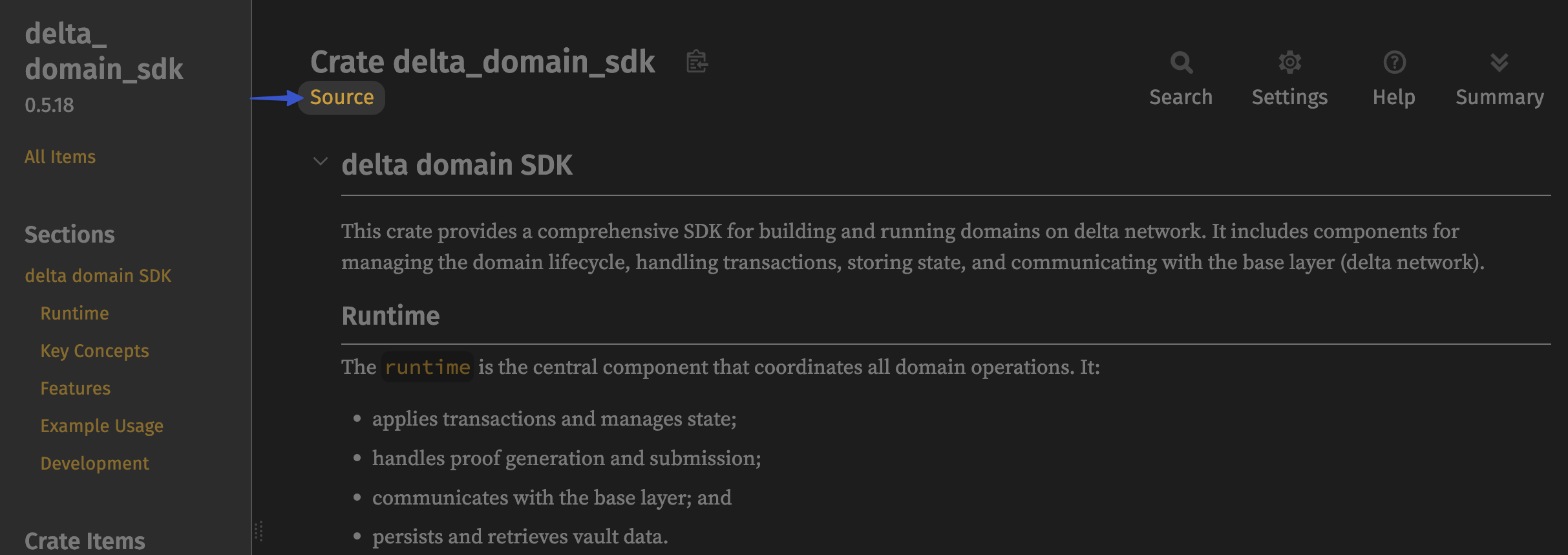
Once you're viewing the rust documentation using the steps above, you can also reference the source code directly by clicking the "Source" link on the docs.
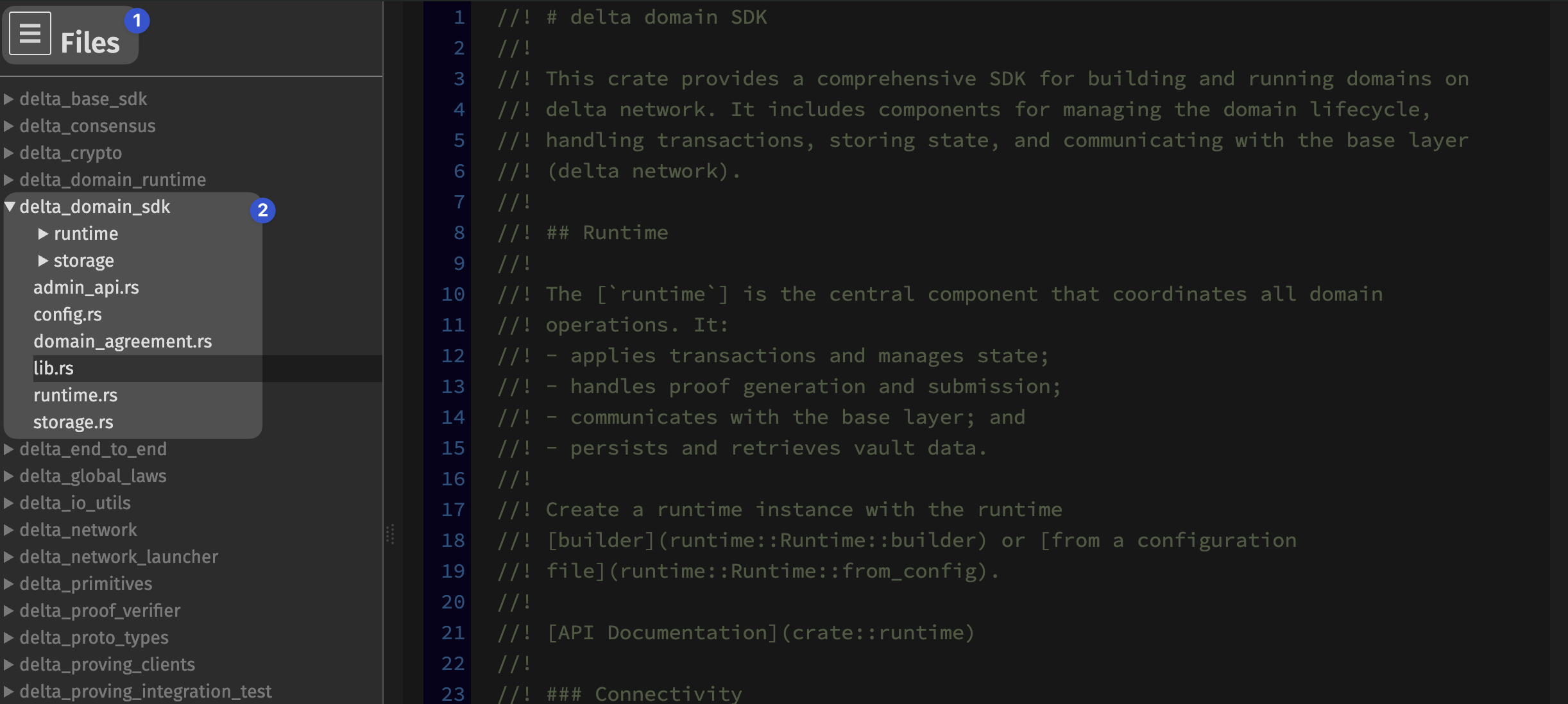
The in-browser source code view allows for simple navigation via the file tree.
Developing with the Crates
To import delta's rust crates into your own code, you will first need to generate a cargo authentication code in Kellnr.
Step 1: Create a new authentication token
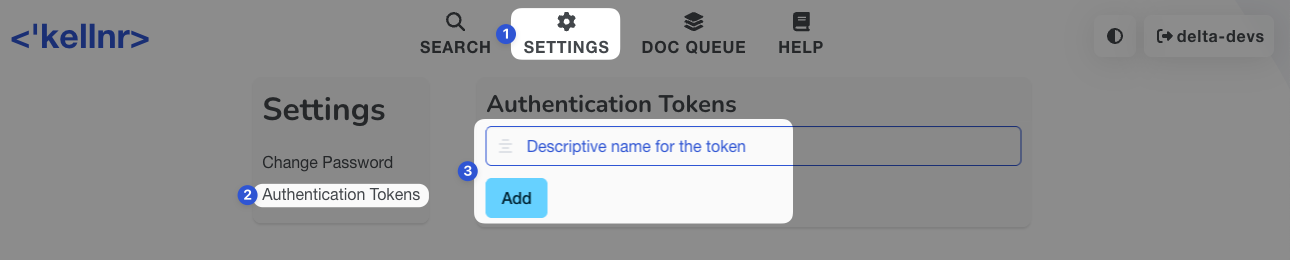
Navigate to settings > authentication tokens, and add a new token with a descriptive name of your choosing.
Once the token is generated, copy it to be used later.
Step 2: Configure your global Rust Cargo config.toml
Store the following lines in your global cargo configuration ~/.cargo/config.toml file:
[registries.delta]
index = "sparse+https://crates.repyhlabs.dev/api/v1/crates/"
credential-provider = ["cargo:token"]
token = "your authentication token"
Step 3: Import the crates in your Rust project's cargo.toml
We assume you have a rust project created via
cargo init <path-to-your-project>
To declare delta crates as dependencies for a project, add the following line(s) to the [dependencies] section of your Cargo.toml file.
[dependencies]
# For delta crates, use `registry = "delta"`:
delta_domain_sdk = { version = "=0.5.18", registry = "delta" }

# or if you only want to use the base SDK:
delta_base_sdk = { version = "=0.5.18", registry = "delta" }

# Public crates are declared as usual:
serde = "1.0.219"
Step 4: Try it!
In your main.rs, change the function to the following:
use delta_base_sdk::crypto::ed25519::PubKey;

fn main() {
    let pubkey = PubKey::generate();
    println!("My new public key: {pubkey}");
}
Now you should be able to run cargo run and see a newly created public key. This confirms that the SDK crates are imported correctly and ready to be used!
To get a better sense of how delta works, we recommend also following our CLI-based tutorial.